How to Choose the Right Wireless Mouse
Shape, grip, DPI, connectivity, battery, weight — everything that actually matters when picking a wireless mouse for office work, design or development.
THE PICKS EDITORS 6 May 2026
A practical buying guide to the best wireless keyboards for office work, coding, design and everyday productivity — picked for comfort and connectivity, not RGB lighting.
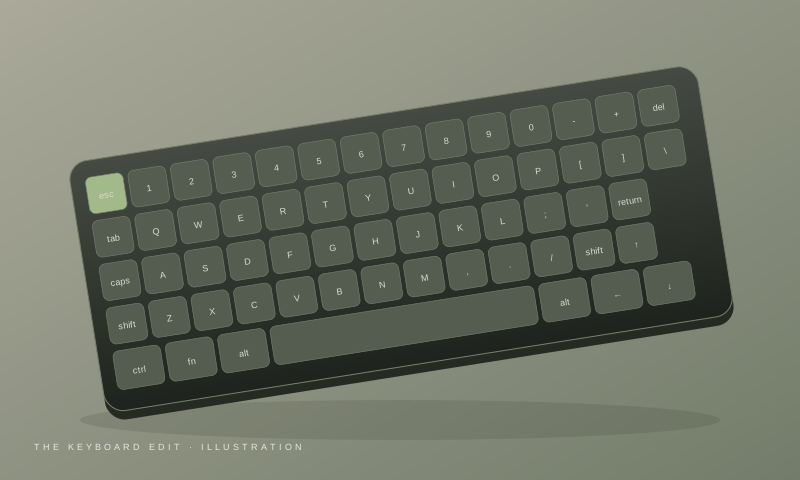
A good keyboard can make a surprisingly big difference to your daily work. Whether you're writing documents, working with spreadsheets, designing in Figma, coding, or simply spending several hours at your desk, the right wireless keyboard can make your workspace cleaner and more comfortable.
But choosing one isn't as simple as picking the keyboard with the highest rating or the most features.
You need to consider typing comfort, keyboard size, connectivity, battery life, operating-system compatibility, key layout, and how much desk space you have.
In this guide, we've focused on wireless keyboards that make sense for work, productivity, home offices, and everyday use — rather than ranking gaming keyboards purely on RGB lighting or gaming features.
Editor's note: Prices and availability can change frequently. Always check the current price and specifications before purchasing.
| Keyboard | Best for | Type | Connectivity | Our take |
|---|---|---|---|---|
| Logitech MX Keys Mini | Premium productivity | Low-profile | Bluetooth + receiver support depending on version | Best premium compact choice |
| Logitech Pebble Keys 2 K380s | Portability & value | Low-profile | Bluetooth | Best for small desks and travel |
| Keychron B33/B36 | Flexible connectivity | Low-profile | Bluetooth + 2.4GHz + wired | Great if you want more connectivity options |
| Keychron K2 | Mechanical typing | Mechanical | Bluetooth + wired | Good for users who prefer mechanical keys |
| AULA F75 | Work + gaming | Mechanical | 2.4GHz + Bluetooth + wired | Best if you want a gaming-capable board too |
Not sure which one to buy?
If your priority is a clean desk and a comfortable typing experience, the Logitech MX Keys Mini is one of the easiest keyboards to recommend.
It uses a low-profile design rather than mechanical switches, making it particularly suitable for office work, writing, design work and general productivity.
Its compact layout removes the dedicated number pad, giving you more room for your mouse while retaining the important navigation and function keys.
Independent testing comparing the MX Keys Mini with the Logitech Pebble Keys 2 K380s found the MX Keys Mini to have the more premium build and slightly better typing experience, while also adding white backlighting.
Best for: Designers, developers, office professionals and anyone who wants a premium minimalist keyboard.
Our verdict: If you want a premium wireless keyboard primarily for productivity and don't need a number pad, this is one of the strongest options to consider.
The Logitech Pebble Keys 2 K380s takes a very different approach.
It's small, lightweight and designed to be easy to carry. That makes it particularly useful for students, people who move between workspaces, and anyone who doesn't want a large keyboard taking up desk space.
It connects through Bluetooth and can be paired with multiple devices. Independent testing currently recommends it particularly for travel and portability.
The unusual circular keycaps are part of its design. Some people enjoy them, while others may need a little time to get used to the layout.
Best for: Students, laptop users, travelers and people with smaller desks.
Our verdict: If portability matters more to you than having a premium desktop keyboard, the K380s makes a lot of sense.
If you want a wireless keyboard that gives you more flexibility in how you connect it, the Keychron B-series deserves a look.
The B33/B36 models are low-profile keyboards that support Bluetooth, 2.4GHz and wired connectivity, depending on the model and configuration.
Independent testing found the Keychron B33/B36 to offer deeper keystrokes and more connectivity flexibility than the Pebble Keys 2 K380s, while the Logitech remains more portable.
Best for: People who want one keyboard that can adapt to different devices and connection methods.
Our verdict: A strong choice if Bluetooth alone feels limiting and you want the option of 2.4GHz or wired connectivity.
Not everyone likes the feel of low-profile office keyboards.
If you prefer the more pronounced feel and feedback of mechanical switches, the Keychron K2 is worth considering.
Its compact layout gives you more desk space while retaining dedicated arrow keys and other useful keys that are missing from smaller 60% keyboards.
The K2 family has also been popular among users who want a keyboard that works well with both Mac and Windows setups.
Best for: Developers, designers, writers and mechanical-keyboard enthusiasts.
Our verdict: Choose this if typing feel matters more to you than having the thinnest possible keyboard.
If your desk is used for both work and gaming, you don't necessarily need two keyboards.
The AULA F75 is a wireless mechanical keyboard with a compact 75% layout and tri-mode connectivity.
Current 2026 Indian market coverage places the F75 among the strongest wireless mechanical options in its price segment, with hot-swappable switches, gasket mounting and 2.4GHz/Bluetooth/wired connectivity.
Best for: People who want one keyboard for both productivity and gaming.
Our verdict: A great option if your keyboard needs to do double duty.
The "best" keyboard depends heavily on how you work. Here are the features that actually matter.
Keyboard sizes generally fall into several categories.
Full-size — includes the number pad. Best for:
Tenkeyless (TKL) — removes the number pad while retaining most other keys. Best for:
75% — keeps most important keys while making the keyboard considerably more compact. Best for:
60% — very compact and removes several dedicated keys. Best for:
This is one of the most important decisions.
It doesn't require a USB receiver.
If you use your keyboard for normal office work, Bluetooth is usually enough. If you also game, a keyboard with 2.4GHz connectivity gives you more flexibility.
Bluetooth — best for:
2.4GHz wireless — usually uses a USB dongle. Best for:
Tri-mode — supports Bluetooth + 2.4GHz + wired, giving you the most flexibility.
This is largely a matter of preference. The Logitech MX Keys Mini and Pebble Keys 2 fall into the low-profile, productivity-oriented category. But mechanical keyboards aren't automatically better — if you work in a shared office, a quiet low-profile keyboard may actually be the better choice.
Scissor / low-profile — usually:
Mechanical — usually offers:
Don't look only at the advertised battery number.
For a permanent desk setup, rechargeable USB-C models can be more convenient. For a travel keyboard, replaceable batteries can sometimes be useful because you don't have to wait for charging.
If you use both Windows and macOS, check the keyboard's layout before buying. A keyboard that supports both operating systems can save you from constantly remapping keys.
This is particularly important for:
Don't buy a wireless keyboard simply because it has the most features. Instead, start with your use case.
For a minimalist office setup
Logitech MX Keys Mini
For a portable setup
Logitech Pebble Keys 2 K380s
For flexible wireless connectivity
Keychron B33/B36
For mechanical typing
Keychron K2
For work + gaming
AULA F75
Yes. For most office and productivity tasks, a good wireless keyboard can provide a cleaner desk and convenient connectivity without sacrificing typing comfort.
Neither is universally better. Bluetooth is convenient for laptops and multiple devices, while 2.4GHz is useful when you want a dedicated wireless connection, particularly for gaming.
Not necessarily. Mechanical keyboards provide more choices in typing feel, but many people prefer the quieter and slimmer design of scissor or low-profile keyboards for office work.
For many people, yes. A 75% keyboard keeps most commonly used keys while reducing desk space compared with a full-size keyboard.
If you frequently work with spreadsheets, accounting software or numerical data, a full-size keyboard can be worth the additional desk space.
There isn't one wireless keyboard that is perfect for everyone.
For a premium productivity-focused setup, the Logitech MX Keys Mini is a strong choice. If portability is your priority, the Logitech Pebble Keys 2 K380s is easier to carry and takes up very little space. If you want more connectivity options, consider the Keychron B33/B36. If you prefer mechanical switches, the Keychron K2 is worth considering, while the AULA F75 makes more sense if your keyboard needs to handle both work and gaming.
The best purchase is ultimately the keyboard that matches how you actually work, rather than the one with the longest feature list.
Picks by ELBAF independently researches and evaluates products based on their features, intended use, value and available information. Some links on this page may become affiliate links when the site participates in affiliate programs. If you purchase through an affiliate link, we may earn a commission at no additional cost to you.
Prices, availability, specifications and offers can change. Always verify the current information on the retailer's website before purchasing. As an Amazon Associate, Picks by ELBAF may earn from qualifying purchases.
Read our full disclosureShape, grip, DPI, connectivity, battery, weight — everything that actually matters when picking a wireless mouse for office work, design or development.
Compare mechanical, membrane and low-profile keyboards for noise, typing feel, customization and everyday work.
Looking for an external SSD for design, video editing or everyday storage? Learn what matters when choosing an SSD and which features creators should prioritize.